00 engagement
01 problem
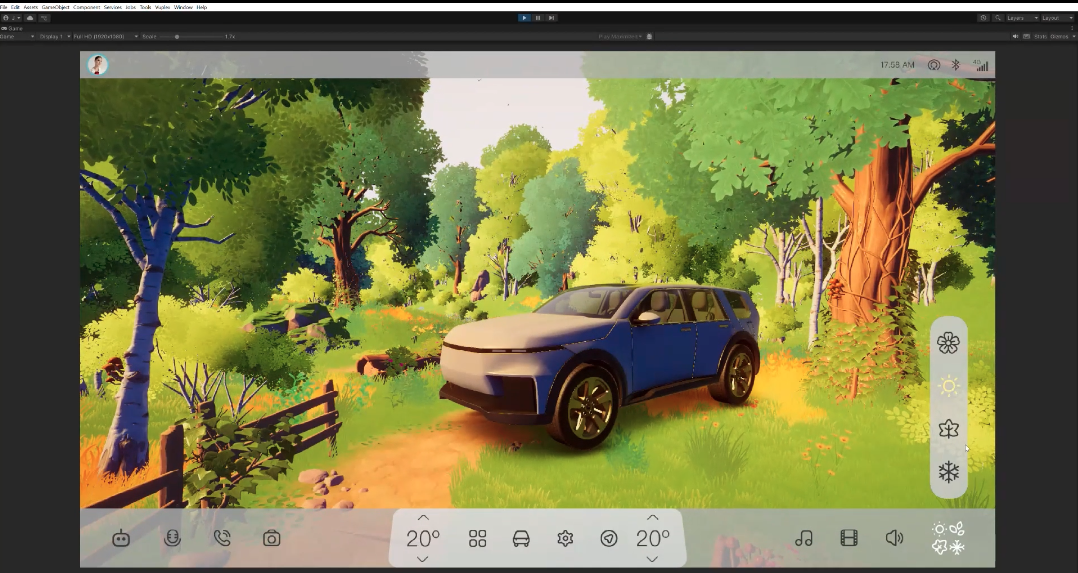
The default ProtoPie Unity plugin required building the project as a WebGL file and manually uploading it to ProtoPie Connect to test changes. Whenever a design tweak was made in either the Unity scene or the ProtoPie file, developers had to rebuild and re-upload, creating a slow feedback loop. To fix this, I built a custom Unity plugin integrated with Vuplex that loads and runs ProtoPie directly inside the Unity Editor, giving live bi-directional messaging without repeated WebGL builds.
02 approach
Wrote a custom Unity C# plugin script (with Gemini assistance) to handle communication between Unity and ProtoPie Connect.
Designed and built the 3D interactive Unity automotive scene.
Built the 2D interactive UI inside ProtoPie Studio.
Combined the two using Vuplex and wired bi-directional message listeners so state changes flowed between both environments in real time.
03 stack
04 outcome
The integrated system runs bi-directional communication between ProtoPie and Unity directly inside the Unity Editor. It removes the constant WebGL export cycle, which speeds up testing and iteration.