00 engagement
01 problem
Building and iterating on complex game UI (such as RPG avatar customization screens) directly inside game engines like Unity takes a lot of developer time and coding. Designers without deep game engine expertise are forced to hand over static comps, creating a slow, repetitive rebuild loop whenever UI layout, micro-interactions, or sound triggers need tweaking.
02 approach
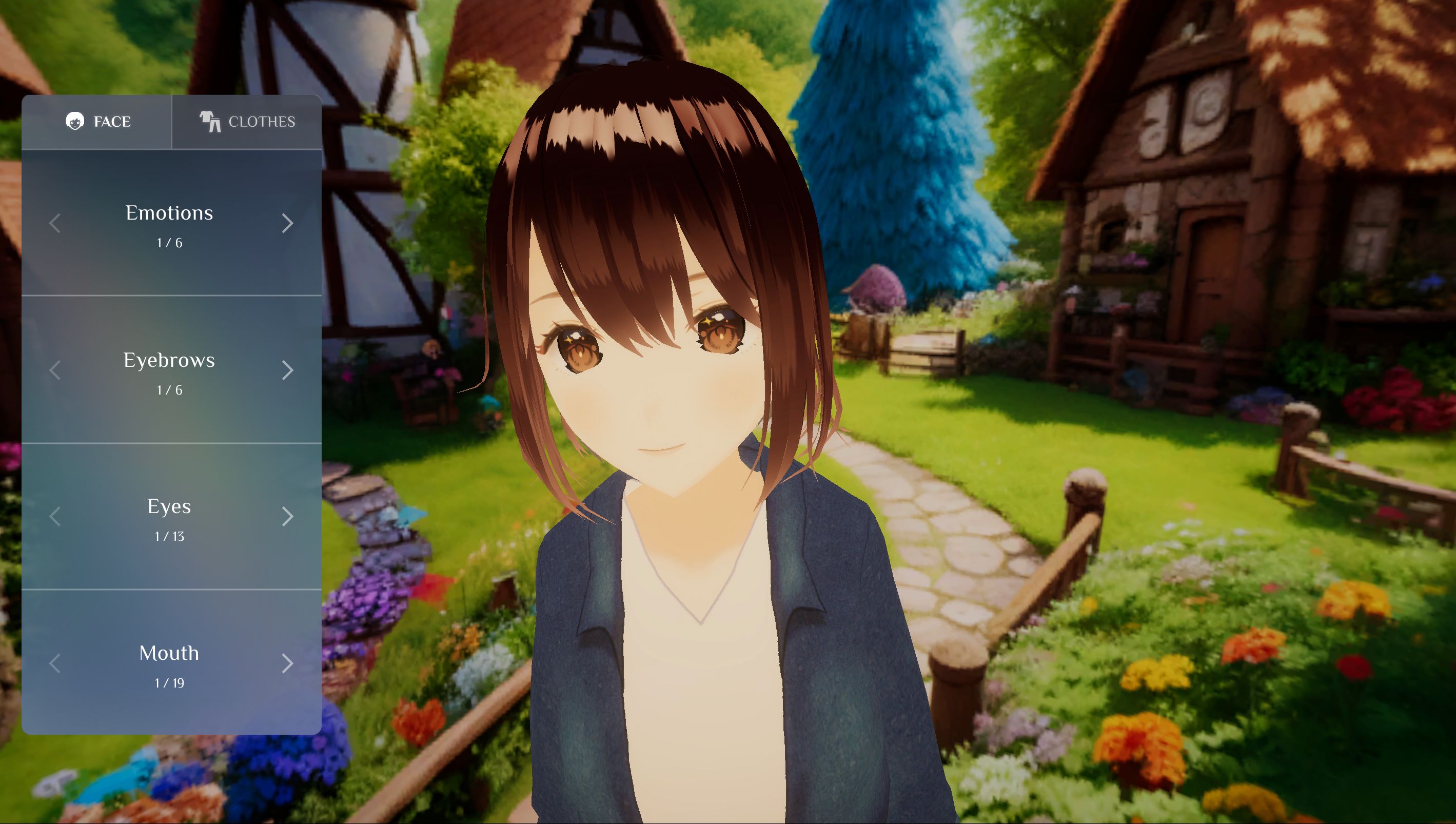
Designed and structured an interactive RPG avatar customization panel in ProtoPie Studio, complete with facial emotion toggles, eye/eyebrow/mouth selectors, outfit changes, and synchronized UI sound effects.
Built a 3D anime character scene in Unity with dynamic camera controls and blend-shape animation triggers for expressions and wardrobe swaps.
Connected ProtoPie Studio and Unity using the ProtoPie Unity Plugin and ProtoPie Connect to pass real-time bi-directional messages between UI triggers and 3D character states.
Compiled and hosted the integrated Unity build inside ProtoPie Connect for side-by-side execution.
03 stack
04 outcome
The demo shows a faster workflow for game UI/UX teams. Designers can prototype, test, and polish complex interactive menus on their own in ProtoPie, while game developers only need to wire up message channels in Unity instead of rebuilding UI components from scratch.